
PROP HOURS BLOG
Free Material Participation Log Template (Excel, Google Sheets & PDF)
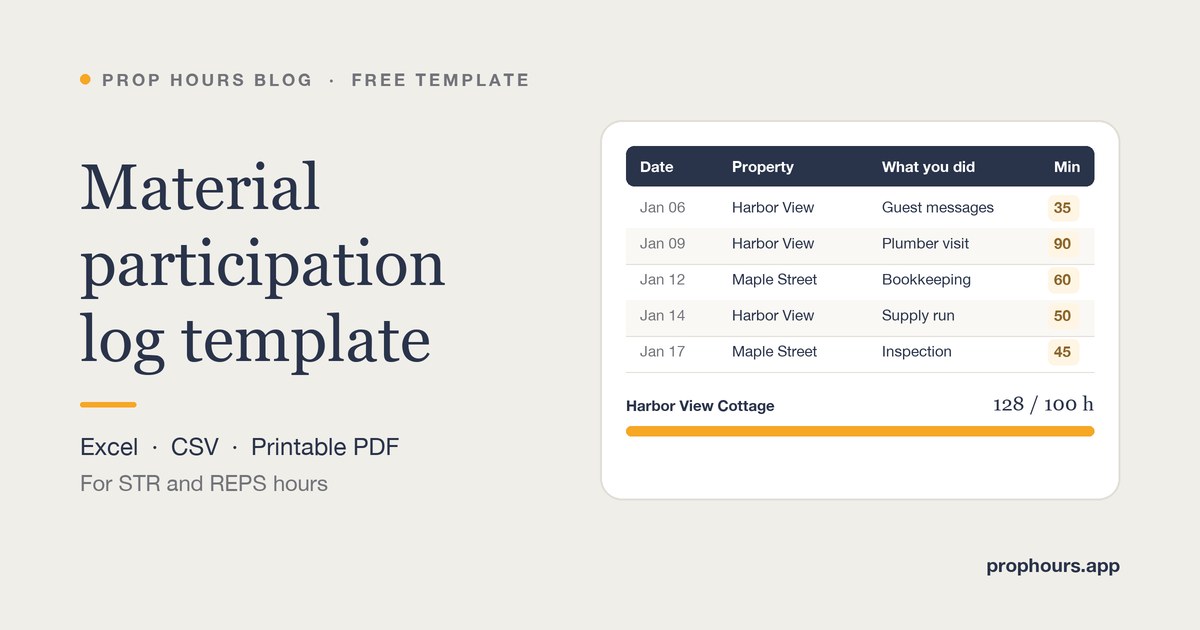
In short: this free material participation log template gives short-term rental (STR) owners and anyone working toward real estate professional status (REPS) a ready-made place to record their hours. The Excel workbook has an hour log with dropdowns, a tab for other people’s hours (the comparison side of the 100-hour test), a REPS tab for the 750-hour and more-than-half tests, and a summary that totals every property. A CSV for Google Sheets and a printable PDF are included.
Download the template
Free, no sign-up. Works in Excel 2019 or later, Microsoft 365, Numbers and Google Sheets (File → Import).
Most hour logs fail for a boring reason: they are rebuilt in April from call history and a camera roll. The IRS lets you prove participation with any reasonable records — appointment books, calendars or narrative summaries, as Publication 925 puts it — but a log written the same day, with the property, the task, the actual time and the receipt beside it, is the one that holds up. This template gives you that structure for free.
What’s inside the template
- Start here: how to use the workbook in seven steps, plus what the indicators do and don’t mean.
- Hour log: date, property, STR or LTR, what you did, category, start and end time or minutes, who did it (you or your spouse), where the evidence is, notes and the date you wrote the entry. Entries written more than seven days after the work are highlighted.
- Other people: the hours your co-host, cleaner, property manager or contractors worked on each property, with the invoice or agreement behind each number.
- Summary: totals per property for you, your spouse and both together, the most hours any other person worked, and indicators for the 100-hour and 500-hour thresholds.
- REPS: your real-property hours month by month next to all your other work, with indicators for the 750-hour and more-than-half tests.
How to fill in a material participation log
- Log it the same day. A two-minute entry tonight is worth more than a perfect reconstruction next spring.
- Use one row per task. “Guest messages, 35 minutes” tells a story; “Airbnb stuff, 3 hours” invites questions.
- Record actual minutes. Real times such as 35, 50 or 90 minutes read as measured. A column of round hours reads as estimated.
- Name the property. The material participation tests apply activity by activity, so keep each rental’s hours separate unless your CPA has made a grouping election.
- Say who did the work. Your spouse’s hours generally count with yours for material participation, but not toward the REPS tests.
- Point to the evidence. An invoice number, a photo, a message thread or a bank export turns an entry from a claim into a record.
- Fill in “Entry written on.” It shows the log was kept as you went — the whole point of a contemporaneous record.
A strong entry vs. a weak one
| Field | Weak entry | Strong entry |
|---|---|---|
| Date | Q1 | Jan 9, 2026 |
| Property | All rentals | Harbor View Cottage |
| What you did | Maintenance | Met the plumber and approved the water heater repair |
| Time | 5 hours | 90 minutes (9:00–10:30) |
| Evidence | — | Invoice #1042 (photo) |
| Entry written on | April 12 | Jan 9, 2026 |
What counts — and what usually doesn’t
Work an owner customarily does to run the rental counts: guest communication, coordinating turnovers and repairs, pricing and listing management, bookkeeping for the operation, supply runs and inspections. Investor-type work generally doesn’t, unless you are directly involved in day-to-day management — for example, reviewing financial statements or monitoring the property’s finances in a non-managerial role. Work an owner wouldn’t customarily do, taken on mainly to add hours, doesn’t count either. Our guide on how to prove material participation goes through the gray areas.
Using the 100-hour and REPS tabs
The 100-hour test needs more than 100 hours and at least as much time as any other individual, so the Other people tab matters as much as your own log. Record each person’s hours for the year and where the number comes from; the Summary tab compares your total with the highest single person on each property.
For REPS, you need more than 750 hours in real property trades or businesses in which you materially participate, and more than half of all your working time in them. The REPS tab pulls your own rental hours from the log each month. Add any other real-property work, such as development, construction or brokerage, and the hours you spend on a W-2 job or another business. Employee hours count only if you own more than 5% of the employer, and on a joint return one spouse has to meet both tests alone. Our REPS guide covers the details.
Spreadsheet or app?
A spreadsheet works, especially for one or two properties. Its weak spots are the same ones an examiner looks at: it is easy to fill in weeks later, receipts live somewhere else, and nothing tells you when a property is falling behind.
PropHours was built for those gaps. Log by timer, voice, receipt scan or a one-sentence AI draft; keep the photo or receipt on the entry; invite a co-host or cleaner to log their own time; get a nudge when a property falls behind its goal; and export a CPA-ready PDF and CSV. If you start in the spreadsheet, the fields are the same ones PropHours records, so the habit carries over.
See how the PropHours material participation log works
Is a spreadsheet enough to prove material participation?
It can be. The IRS accepts any reasonable method, including logs and calendars. What makes a spreadsheet credible is entries made at the time of the work, with the date, property, task, actual time and supporting evidence.
What should each entry in a material participation log include?
The date, the property, what you did, the actual time spent, who did it and where the supporting evidence is kept, plus the date you wrote the entry. Include enough detail that someone else could understand the work a year later.
Can I use this template in Google Sheets?
Yes. In Google Sheets, choose File > Import and upload the .xlsx file; the tabs, formulas and dropdowns carry over. The CSV contains only the hour log columns.
Does my spouse's time count?
For material participation, your spouse's work on the rental generally counts with yours, even if your spouse does not own it. For REPS, one spouse must meet the 750-hour and more-than-half tests alone, so the template's REPS tab counts only your rows.
How long should I keep my hour logs?
At least as long as the IRS can examine the return they support, generally three years after you file, and longer if you carry suspended losses forward or may rely on the 5-of-10-year test.
Related reading
Learn what a strong record looks like in How to Prove Material Participation, see how the short-term rental tax loophole depends on your hours, and compare hour-tracking apps in PropHours vs REPSLog.
The template and its indicators compare recorded hours with thresholds only; they do not determine material participation, real estate professional status or eligibility to deduct losses. This article is general information, not tax advice. Review IRS Publication 925 and consult a qualified tax professional about your situation.